
HubSpot Integration
Your AI chatbot captures contact info during conversations and creates HubSpot contacts automatically. No manual data entry needed.
What Is HubSpot Integration?
When your AI chatbot collects contact information during a conversation (name, email, company, etc.), it automatically creates or updates a contact in HubSpot CRM.
The chat transcript and any qualifying information is also synced to the contact record, giving your sales team full context for follow-up.
What Gets Captured
Name
First and last name
Primary contact email
Company
Organization name
Phone
Contact number
Plus Custom Properties
Map any data collected in chat to custom HubSpot properties. Budget, timeline, interests, whatever your sales team needs.
How It Works
Connect HubSpot
OAuth connection in one click. Works with free CRM.
AI Collects Info
Bot naturally asks for contact details during conversation.
Contact Created
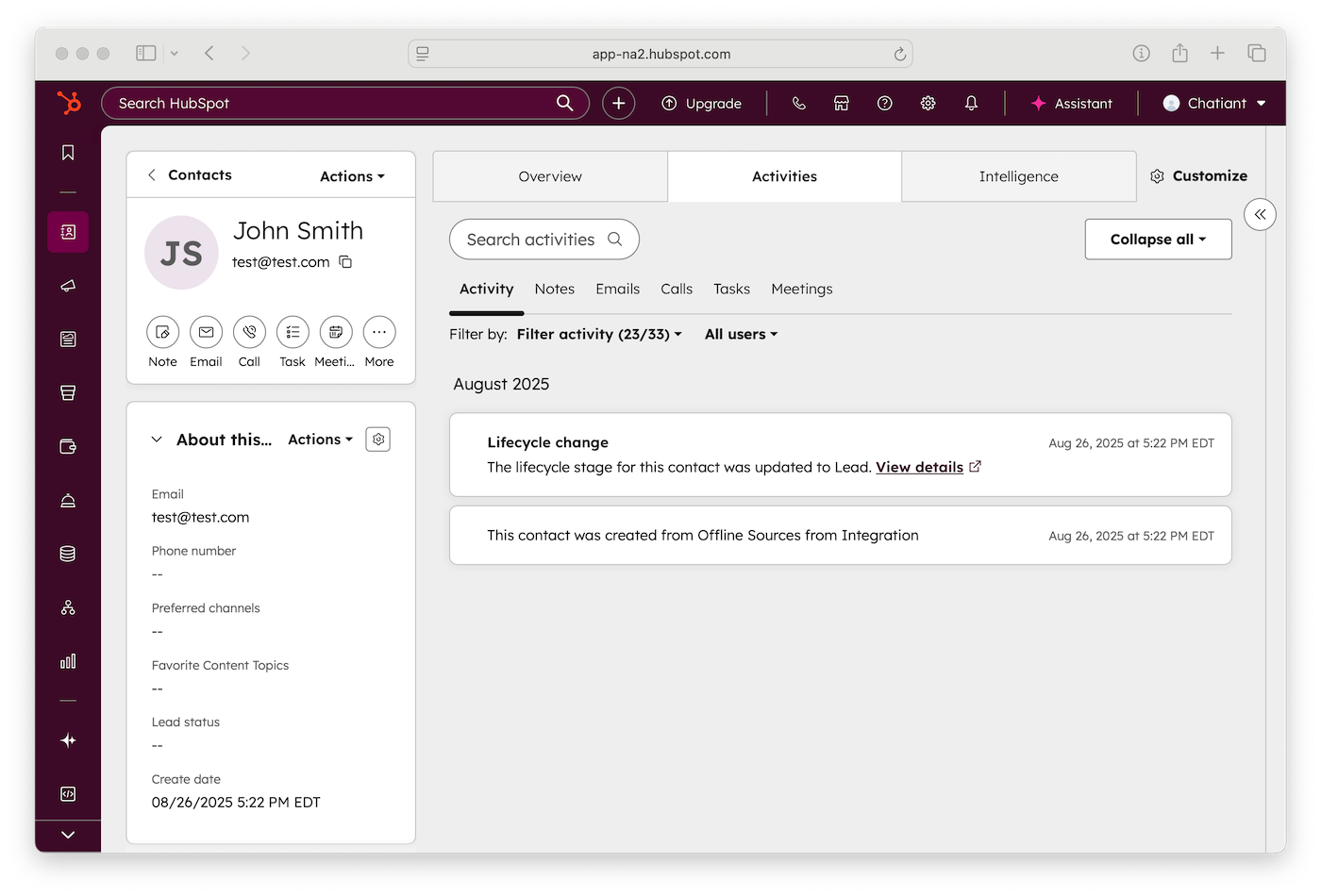
New contact appears in HubSpot with chat transcript.
Prerequisites
Before configuring this action, you need a HubSpot Private App with the correct scopes:
- Go to HubSpot → Settings → Integrations → Private Apps
- Click Create a private app
- Under Scopes, enable:
crm.objects.contacts.readandcrm.objects.contacts.write - Copy the Bearer token — you’ll need it for the API headers
Keep your Bearer token secure. Never expose it in client-side code. It is stored encrypted in Social Intents.
Step-by-Step Setup
Go to AI Chatbot Settings → AI Actions, click Add Action, and configure the fields below.
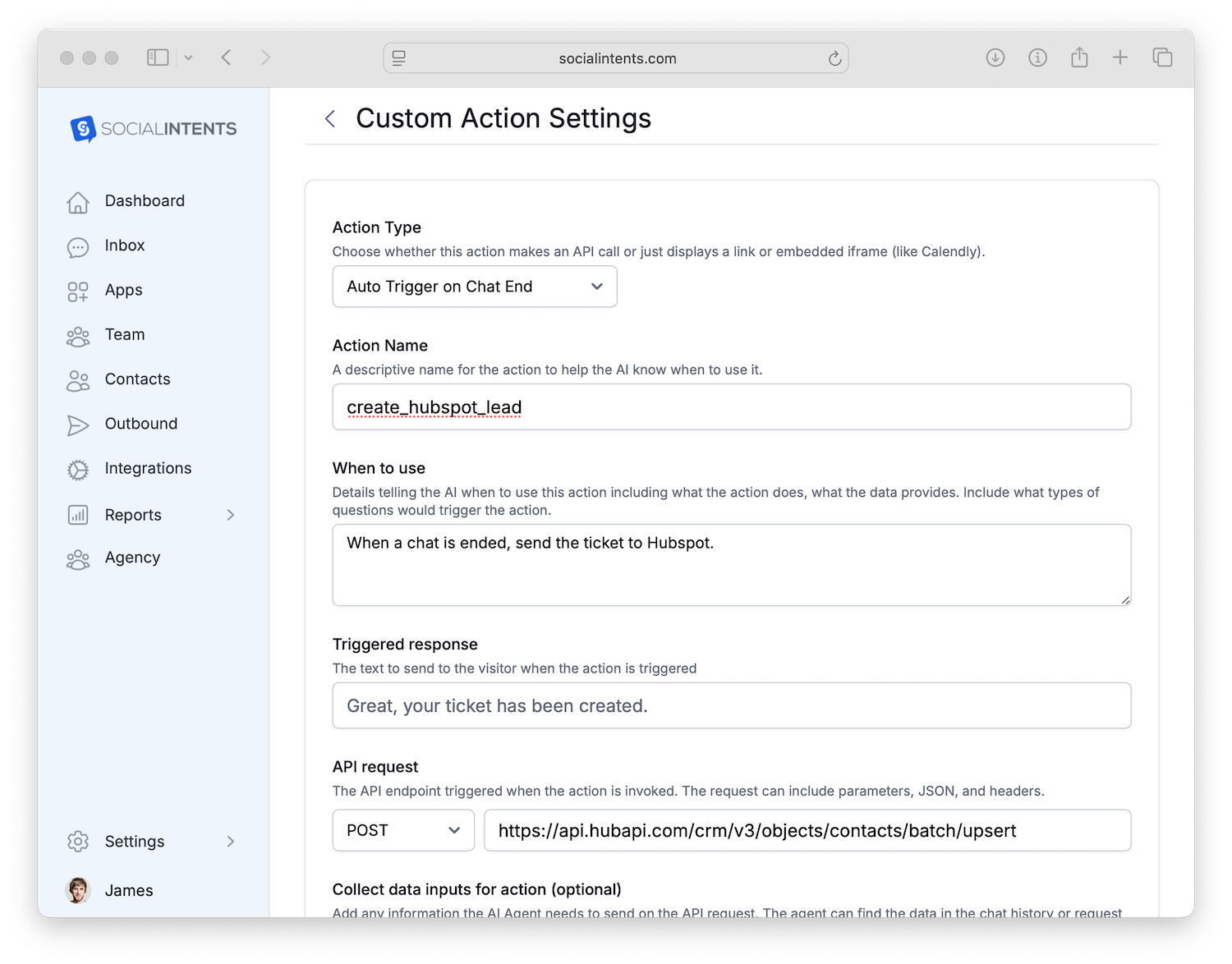
| Field | Value |
|---|---|
| Action Type | Auto Trigger on Chat End |
| Action Name | create_hubspot_contact |
| Collect data inputs | firstname, lastname, email, phone, company, jobtitle, website, message |
| HTTP Method | POST |
| API URL | https://api.hubapi.com/crm/v3/objects/contacts/batch/upsert |
| Headers | Authorization: Bearer YOUR_PRIVATE_APP_TOKENContent-Type: application/json |
JSON Request Body
Paste this into the Request Body field. The {{variable}} placeholders are automatically replaced with data the chatbot collects during conversation.
{
  "inputs": [
    {
      "idProperty": "email",
      "id": "{{email}}",
      "properties": {
        "email": "{{email}}",
        "firstname": "{{firstname}}",
        "lastname": "{{lastname}}",
        "phone": "{{phone}}",
        "company": "{{company}}",
        "jobtitle": "{{jobtitle}}",
        "website": "{{website}}",
        "message": "{{message}}"
      }
    }
  ]
}
The batch/upsert endpoint creates a new contact or updates an existing one if the email already exists in HubSpot.
More CRM Actions
Fill Your HubSpot Pipeline
Connect HubSpot and let your AI chatbot capture every lead.
14-day free trial. No credit card required.